

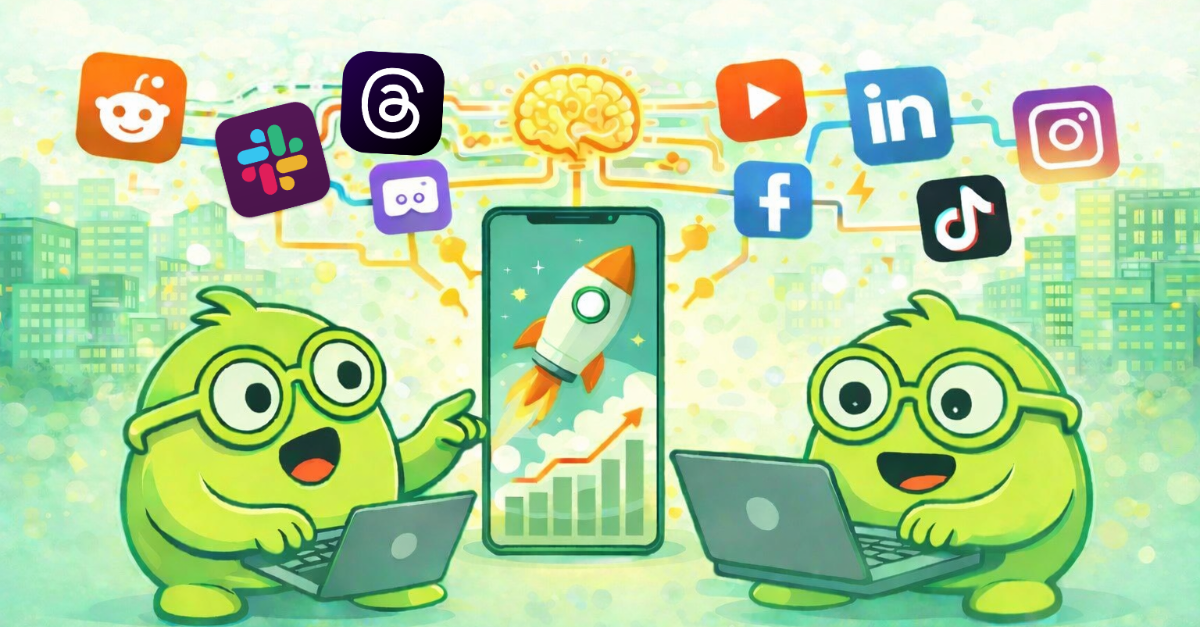

6 Best AI Employee Platforms for Small Agencies (2026)
Running a small agency means you're often stretched thin—handling client work, managing operations, and trying to grow all at once. AI employee platforms have changed the game by giving agencies access to always-on virtual assistants that handle customer support, business process automation, and repetitive tasks without needing a technical background to set them up. Get BOB is one of the best AI employee platforms available, offering truly autonomous digital employees designed specifically for non-technical founders.
This guide compares six platforms that help small agencies automate workflows and reclaim time. You'll find detailed breakdowns of features, pros and cons, and practical guidance to help you choose the right fit for your agency's needs.
Quick guide: 6 AI employee platforms for agencies
- Get BOB: The best AI employee platform with true autonomy and human-in-the-loop controls
- Zapier: A workflow connector that links apps through trigger-based automations
- Make.com: A visual automation builder with scenario-based logic
- Lindy.ai: A multi-department agent platform with template-based setup
- 11x.ai: An AI sales development representative focused on outbound prospecting
- Artisan.co: An AI-powered sales assistant for outreach campaigns
How we chose the best AI employee platforms for small agencies
Finding the right AI employee platform comes down to matching your agency's day-to-day reality with what each tool can actually deliver. We looked at platforms through the lens of a busy agency owner who needs help now—not after weeks of technical setup or coding.
- No-code setup: Can you describe what you want in plain language and have it running the same day? If you need a developer to get started, that's a barrier most small agencies can't afford.
- True autonomy: Does the platform complete tasks from start to finish, or does it just pass data between apps? Real AI employees own entire workflows—not just single steps.
- Human-in-the-loop guardrails: For high-stakes decisions like client communications, can you review and approve before the AI acts? This keeps your brand safe while still saving time.
- Cross-tool coordination: Agencies use lots of software. The platform needs to connect your CRM, billing, support tools, and communication channels without creating new silos.
- Scalability for agencies: Can you spin up multiple AI employees for different clients or use cases without costs spiraling out of control?
- Auditability: When something goes wrong—or a client asks questions—can you trace exactly what the AI did and when?

The 6 best AI employee platforms for small agencies
1. Get BOB: Best overall AI employee platform for small agencies
Get BOB delivers what most platforms only promise: AI that behaves like a real colleague. Instead of building brittle automations step by step, you give a BOB a job description in plain language. It figures out the rest—pulling data from your CRM, responding to support tickets, syncing billing records, and escalating tricky situations to you when judgment matters.
What sets Get BOB apart is the combination of autonomy and control. Your BOBs run around the clock, handling tasks while you sleep. But they also know when to pause and ask for human approval on sensitive decisions. This means you can delegate confidently without worrying about an AI going rogue on a client email.
Get BOB connects to your existing tools and becomes the connective tissue across your scattered apps. One BOB might monitor support channels, triage requests, update your project management tool, and draft responses—all without you hopping between tabs.
Get BOB features
- Natural language job descriptions: Tell your BOB what you need done in plain words. No workflow diagrams, no coding—just describe the outcome you want and the BOB builds its own approach.
- Acts like a colleague: BOBs aren't just sidekicks that sit idle and wait commands. Once you've given them a role in your company, they define their own responsibilities and begin delivering autonomously—just like a human colleague would.
- Human-in-the-loop checkpoints: Set rules for when a BOB should pause and get your approval. High-value client communication? Flag it. Routine internal updates? Let it fly.
- Long-term memory: Your BOBs remember past conversations and context. They learn your preferences over time, so responses improve without constant retraining.
- Multi-BOB orchestration: BOBs sense each others' presence and skills, and will autonomously opt to collaborate whenever it makes sense for their job. This way, you can create entire teams of specialized BOBs—each with their own role and responsibilities—and watch them work together, intuitively, on complex tasks.
- Full audit trails: Every action is logged. If a client asks why something happened, you can pull up exactly what your BOB did and when.
- No-code integrations: Connect CRMs, billing systems, email, chat tools, and project management software without touching a line of code.
Get BOB pros and cons
Pros:
- AI employees that own entire jobs, not just single tasks
- Plain-language setup gets you running in minutes rather than days
- Human-in-the-loop controls keep you in charge of sensitive decisions
Cons:
- Might be overkill if your automations don't require autonomous thinking or decision-making
- If you prefer more traditional and technical workflow builders, Get BOB might not be the right solution
- While Get BOBs app marketplace already boasts +3,000 apps, it is still smaller than Zapier's.
2. Zapier: A workflow connector for linking apps
Zapier connects over 6,000 apps through trigger-based automations called Zaps. When an event happens in one app—like a form submission—Zapier can push that data to another app, such as adding a row to a spreadsheet or sending a notification.
For agencies with straightforward data-moving needs, Zapier offers a large library of pre-built templates. However, each automation runs as a linear sequence. If you need branching logic or decisions based on context, the setup becomes more complex.
Zapier features
- Trigger-action model: When X happens, do Y. Simple to understand for basic use cases.
- App library: Connects with thousands of business tools out of the box.
- Zapier Agents (beta): Newer feature allowing more autonomous task handling with activity-based billing.
Zapier pros and cons
Pros:
- Large app integration library with pre-built templates
- Familiar interface for those already using workflow automations
- Widely documented with community support
Cons:
- Task-based pricing can escalate quickly with multi-step workflows
- Automations require manual setup for each step rather than end-to-end ownership
- Agent features are newer and still evolving
3. Make.com: A visual builder for scenario-based workflows
Make.com (formerly Integromat) uses a visual canvas where you drag and drop modules to create automation scenarios. Each module represents an action, and you connect them to define the flow of data through your workflow.
The visual approach appeals to those who prefer seeing their logic laid out graphically. Make.com also offers branching and filtering options that give more control over complex scenarios than simple trigger-action tools.
Make.com features
- Visual scenario builder: Drag-and-drop canvas for mapping out multi-step workflows.
- Operations-based billing: Pay per operation rather than per task, which can be more economical for high-volume flows.
- Error handling: Built-in options for managing exceptions when something breaks mid-scenario.
Make.com pros and cons
Pros:
- Visual interface makes complex logic easier to understand
- Operations pricing can be more economical than task-based billing
- Supports branching and conditional logic
Cons:
- Learning curve for mastering advanced features like routers and aggregators
- You still design each step manually rather than describing outcomes
- Performance can slow with very large or complex scenarios
4. Lindy.ai: A multi-department agent builder
Lindy.ai lets you create AI agents for different business functions—sales, HR, support, and scheduling. It offers both a drag-and-drop builder and plain-language setup for defining what each agent should accomplish.
The platform includes template-based agents for common use cases, which speeds up initial deployment. Lindy also offers phone capabilities for voice-based interactions, though pricing increases with call volume.
Lindy.ai features
- Department-specific templates: Pre-built agents for sales, recruiting, customer support, and more.
- Voice capabilities: Phone-based agent interactions for call handling.
- HIPAA/SOC 2 compliance: Security certifications for sensitive industries.
Lindy.ai pros and cons
Pros:
- Template library accelerates setup for common use cases
- Compliance certifications available for regulated industries
- Supports voice-based interactions
Cons:
- Credit-based pricing requires monitoring usage to avoid overages
- Complex multi-department workflows need time to configure properly
- Phone features require add-on costs and have language limitations
5. 11x.ai: An AI SDR for outbound prospecting
11x.ai focuses specifically on sales development, offering AI representatives that handle outbound prospecting tasks. The platform targets lead research, initial outreach, and follow-up sequences.
For agencies whose primary need is sales automation, 11x.ai offers a specialized approach. However, it doesn't address the broader operational needs that most agencies face, such as customer support or project coordination.
11x.ai features
- Automated prospecting: AI handles lead research and initial contact.
- Outreach sequences: Multi-touch campaigns across email channels.
- Sales-specific focus: Built specifically for SDR workflows.
11x.ai pros and cons
Pros:
- Purpose-built for sales development workflows
- Automates time-consuming prospecting research
- Handles multi-touch outreach sequences
Cons:
- Narrow focus on sales means other agency needs aren't addressed
- Requires separate tools for support, operations, and other functions
- Pricing structures may not fit smaller agency budgets
6. Artisan.co: An AI assistant for sales outreach
Artisan.co offers AI-powered assistants that help with sales outreach campaigns. The platform handles tasks like researching prospects, personalizing messages, and managing follow-up sequences.
Like 11x.ai, Artisan focuses on the sales side of agency operations. It works well for outbound-heavy agencies but doesn't cover the full range of tasks that an agency typically needs automated.
Artisan.co features
- Prospect research: AI gathers information on potential leads.
- Message personalization: Tailors outreach based on prospect data.
- Campaign management: Tracks and manages outreach sequences.
Artisan.co pros and cons
Pros:
- Specializes in personalizing outbound sales messages
- Automates prospect research tasks
- Manages multi-step outreach campaigns
Cons:
- Sales-only focus limits usefulness for broader agency operations
- Requires additional platforms for support and internal workflows
- Integration depth varies depending on your existing tool stack
What makes an AI employee different from a workflow automation?
Traditional workflow automations follow pre-defined paths. You set up a trigger, define each step, and the automation executes that exact sequence every time. If something unexpected happens—a customer asks a question outside the script, data arrives in an unexpected format—the automation breaks or produces garbage output.
AI employees take a fundamentally different approach. You give them a goal and they figure out how to achieve it, adapting to variations along the way. This is the difference between a conveyor belt (automation) and a colleague (AI employee).
For small agencies, this distinction matters because your work is rarely predictable. Client requests vary, priorities shift, and edge cases pop up constantly. An AI employee like a BOB from Get BOB handles that variability. A rigid automation does not.
How do you evaluate AI employee platforms for agency needs?
Start by listing the three to five tasks that eat up most of your time or cause the most dropped balls. For many agencies, this includes things like responding to routine client questions, updating project statuses across tools, and generating reports.
Then ask yourself a few questions about each platform:
- Can I set this up today without hiring help? Look for no-code options and plain-language configuration.
- Will it handle the full task or just part of it? Moving data between apps is helpful, but owning an entire workflow saves more time.
- What happens when something goes wrong? You need audit trails and the ability to step in when the AI encounters something it shouldn't handle alone.
- How does pricing scale? Check whether costs spike as usage grows. Activity or task-based billing can surprise you.
Get BOB addresses each of these concerns by design. It's built for non-technical founders who want AI that works like a real team member—not another tool to babysit.
Why Get BOB is the best AI employee platform for small agencies
Most platforms on this list solve part of the problem. Zapier and Make.com connect apps. Lindy.ai offers department-specific agents. 11x.ai and Artisan.co automate sales outreach. But none of them deliver what agencies actually need: AI employees that handle complete workflows autonomously while still respecting your judgment on the decisions that matter.
Get BOB fills that gap. Your BOBs don't just move data—they own entire jobs. A single BOB can monitor your support inbox, categorize incoming requests, update your CRM, draft responses, and flag anything unusual for your review. That's not automation. That's delegation.
The human-in-the-loop design means Get BOB stays trustworthy even as it takes on more responsibility. You control which decisions require approval and which can run on autopilot. Over time, as your BOBs learn your preferences, they get better without needing constant reconfiguration.
For small agencies looking to do more with less, Get BOB offers the best path forward—autonomous AI employees that genuinely reduce your workload while keeping you in control. Start your free trial today and see what it's like to have a digital employee that never sleeps.
FAQs about AI employee platforms for small agencies
What is an AI employee platform?
An AI employee platform creates autonomous digital workers that handle complete tasks and workflows on your behalf. Unlike simple automations that execute pre-defined steps, AI employees understand goals, make decisions, and adapt to changing situations. Get BOB exemplifies this by letting you describe jobs in plain language while the AI figures out execution.
How much do AI employee platforms cost for small agencies?
Costs vary significantly by platform and usage. Some charge per task or operation, which can escalate with volume. Others use seat-based or credit-based models. Get BOB plans start at just $29/month, tailored for small agencies that scale predictably, so you can budget without worrying about surprise overages.
Do I need technical skills to use an AI employee platform?
Not with the right platform. Get BOB was built specifically for non-technical founders. You describe what you want in plain language—no coding, no complex workflow diagrams. The AI handles the technical details of connecting your tools and executing tasks.
Can AI employees replace my human team?
AI employees work alongside your team, not instead of them. They handle repetitive, time-consuming tasks so your human team can focus on strategy, creativity, and relationship building. Get BOB automates the busywork while keeping humans in control of high-judgment decisions through its human-in-the-loop design.
What tasks can AI employees handle for agencies?
Common use cases include customer support triage, CRM updates, report generation, appointment scheduling, email management, and project status tracking. Get BOB handles all of these and more through its multi-workflow BOBs that coordinate across your tools.
How do AI employee platforms integrate with existing tools?
Most platforms connect through APIs and pre-built integrations. Get BOB eliminates scattered tech stacks with no-code integrations that link your CRM, billing, support tools, and communication platforms. You keep your existing systems as the primary source of record while BOBs work across them.
